Well, I apparently just can’t get enough of averaging things.
My previous averaging work:
While playing around on the last post for averaging long exposure images, I stumbled across something interesting. Apparently Imagemagick can open video files. At that point I just had to have a go at averaging some music videos.
The results were … interesting to say the least.
These are really worth seeing large, just click the image to embiggen.
The links for each video name below will open the video in the page, in case you wanted to watch.
Some of them were really cool though. For instance here’s Beyoncé’s “All the Single Ladies”:
Or kicking it a little old school produces some greats.
Here's A-ha’s “Take On Me”:
“Tonight, Tonight” from The Smashing Pumpkins:
I couldn't help but mess around and try some more recent videos as well, of course.
Not surprisingly, Gotye’s “Somebody That I Used to Know’ looks exactly like you'd expect:
Of course, I had to do Robin Thicke’s “Blurred Lines” video, for (
ahem ) science:
Pink
Billboards
Woman of the Year, Pink, yielded some interesting results:
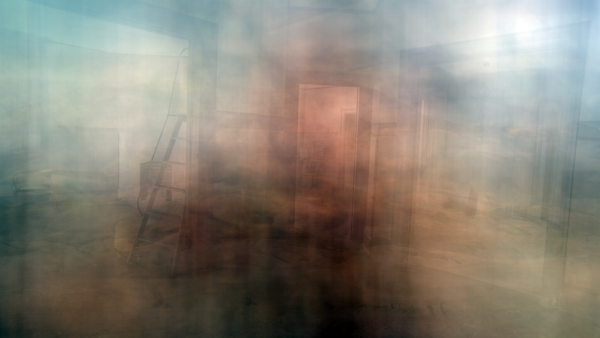 Pink - “Try” (5972 frames)
I find it interesting that if you’re familiar at all with these videos, the blends immediately evoke the sense of what you’ll see watching them.
Die Antwoord
Almost completely on the other side of the musical spectrum, we have Die Antwoord. I want to send a special
“Thank You!” to
Boing Boinger Xeni Jardin for turning me onto these guys (I consider it telling that I’ve lost count of the cool things that Boing Boing has led me to over the years).
If you haven’t had a chance to give them a listen, do it.
I like “Fatty Boom Boom” because it really looks like the video sounds. Hectic.
Creating These
I did mention back at the beginning that it was cool I could load video files directly into Imagemagick. Just one problem: IM likes to load up the entire set of files before doing further operations against them. So trying to load up a full HD video in memory didn't work so well. SD videos loaded, but took forever to process.
To speed it up I just dumped the videos to files first, then operated on them in batches.
You'll need
FFmpeg and
Imagemagick, of course. I also happen to be using Cygwin, because I'm more comfortable doing things in a bash shell vs. windows command line.
Dumping the Video
I dumped the video using ffmpeg:
ffmpeg -i INFILE -y -f image2 output_%05d.png
This is fairly self-explanatory. The %05d tells ffmpeg to name each file with 5 digits sequentially.
So now I have a directory of files called output_00001.png, output_00002.png, etc.
Batch Averaging
As I said, IM will choke up if you try to load it with too much data (thousands of 1080p frames for instance). So I did a first pass of averaging by only generating the averages for 100 files at a time:
ls output_*.png | xargs -n 100 sh -c 'convert "$0" "$@" -evaluate-sequence mean outdir/"$0" '
Don't worry, it's not so as it looks. Let's break it down:
ls output_*.png | …
Generate a list of files in the directory name output_*.png. Then pipe that list into...
xargs -n 100 sh -c
xargs is used to build a command up. The -n 100 switch tells it to use 100 items from the piped list (all the filenames from the ls command) at a time.
Spawn a shell, and run this command:
convert "$0" "$@" -evaluate-sequence mean outdir/"$0"
This just runs the previous imagemagick command to mean average the images. $0 is the first in the list, $@ are the rest.
Then output the results into the directory “outdir”, with the file named the first in the list.
In my “outdir” directory, there are now a bunch of files with names like “output_00000.png, output_00100.png, output_00200.png” etc. These are averages of 100 frames from my video at a time.
In that directory, it's now trivial to get the final average:
convert output_*.png -evaluate-sequence mean -channel RGB -normalize final.png
This will generate the final mean average from all of the images we output previously. The inclusion of “-channel RGB -normalize” is to automatically normalize the results on a per-channel basis.
Batch Averaging (Windows Command Line)
Reader
Belzecue has
noted below a means for doing the first run batch averaging with just the windows command line:
FOR /L %i in (0,1,8) DO convert c:\inputpath\output_0%i*.png -evaluate-sequence mean -channel RGB -normalize c:\outputpath\final_0%i.png
The magic part is the options in the FOR command (0,1,8). Basically it means, start counting at 0, increment by 1, and stop at 8. Couple that with the globbing for filename “output_0%i*.png”, and that command will batch up 9 images, averaged across 1000 items at a time.
(The result to the command line will be output_0
0*.png, output_0
1*.png, output_0
2*.png, etc…)
Thanks for the tip!
Conclusion
Of course, I had to leave you all with one last video. The question is, can you guess which video it is?
 Guess the video. Here’s a little hint:
“You wouldn't get this from any other guy”


