Showing posts with label postprocessing. Show all posts

GIMP Magazine Issue 5 Released


The team over at GIMP Magazine have released their latest issue, and check out that handsome gentleman on the cover!

GIMP Magazine Cover Pat David
“I’m pretty sure there’s a lot more to life than being really, really, ridiculously good looking.”
Derek Zoolander

Yep, +Steve Czajka and crew have pushed out yet another great issue of the magazine, and I’m not just saying that because my ugly mug is gracing the cover. This issue has my portrait retouching tutorial with the wonderful Mairi, and a really neat tutorial for emulating the results of an old analog photographic process (really old), Gum over Palladium, by +Christopher Perez.  +Debi Dalio also reviews Tux Paint for kids!

Personally, I would have gone for a better looking cover model, like Mairi from the tutorial:

GIMP Editing Challenge Results

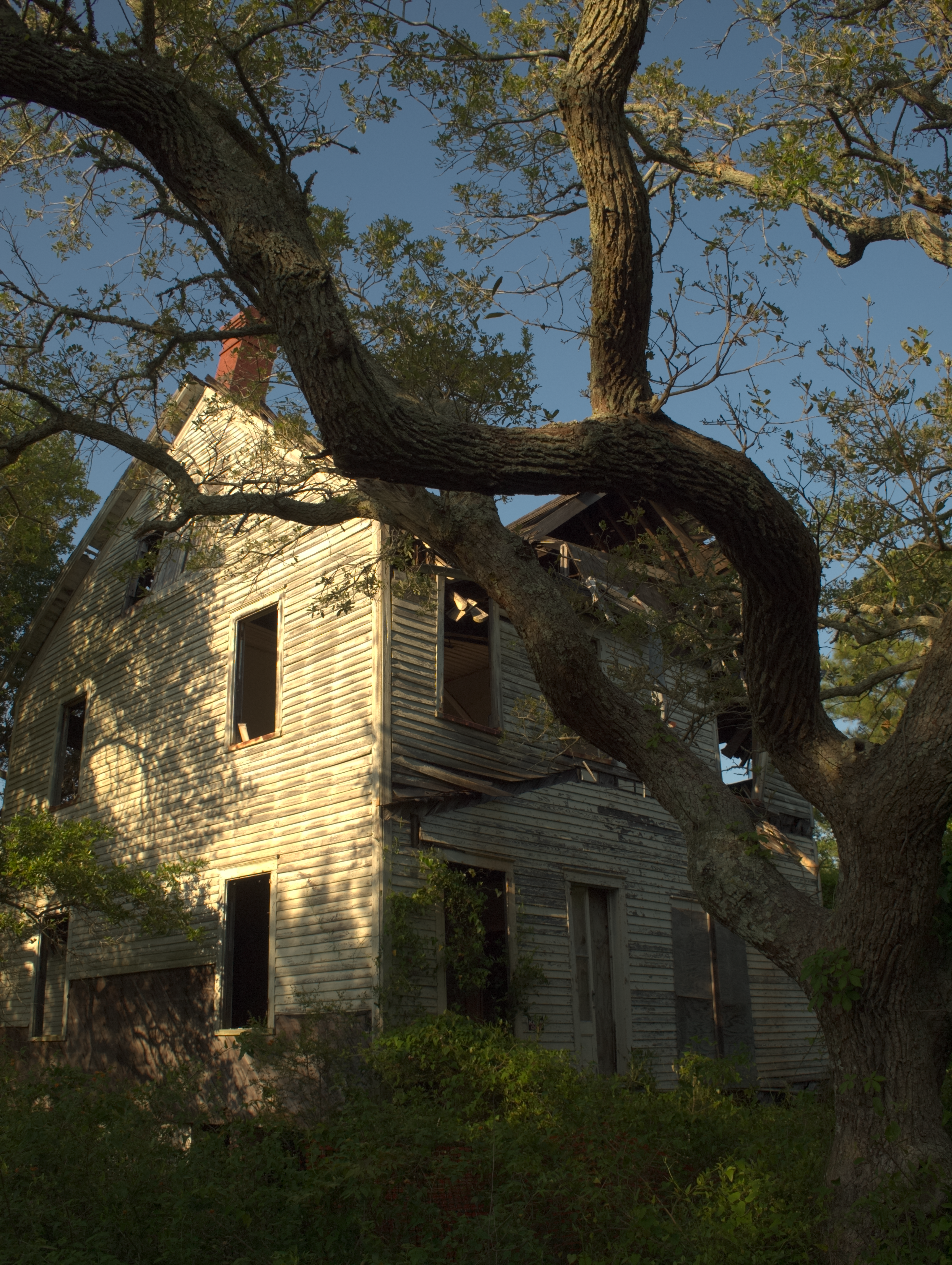
At the beginning of this month I posted a RAW image of a house that I asked people to process in GIMP to turn it into a black and white image, and to describe their workflows in doing so.

My hope was to be able to expose some new and interesting ways to approach black and white processing in GIMP, and to give everyone a single point of reference to compare the results to.

patdavid.net - House A (JPG) The challenge base image

I had originally envisioned it as a sort of contest where everyone could vote on their favorites at the end, but it became cumbersome to maintain entries across Flickr and gimpchat.com. So instead I've left the posts as they are to hopefully help others to get a look into some cool ways to approach B&W conversions.

I was thinking that this might be a good image to test against because there is bright, just about blown, sunlight on the side of the house, while there are also very dark shadows in some of the windows and bushes. Hopefully a nicely challenging range of luminance and detail to work with!

There were some great responses from everyone who took a stab at it (pun intended - it is Halloween here!). I just wanted to take a moment to highlight a few of the images/processes that I liked personally...

GIMP Editing Challenge

Over in the GIMP users group on Flickr, there has been a recurring challenge where a theme is chosen, and members will post images based around that theme. Then the users will all vote and choose their favorite, and the winner gets to choose a new theme. It's usually quite fun, and you get to see some really neat photos from other users.

patdavid.net - House A (JPG) The Challenge - Convert this to B&W

It occurred to me the other day, though, that it might be even more helpful to those learning to use GIMP to see better what other users workflows might be, and even better to see what the results might look like from different processes.

So I posted a simple challenge that is a little different from the usual one based around a theme. I posted one of my own images, and asked everyone to use the same base image to process according to a different theme (in my case I was curious about B&W conversion workflows).

I also asked that anyone entering the challenge to also document their workflow so others could hopefully learn some new things about the process that is used.

Not everyone that reads the posts here might be on Flickr, so I am posting this here to invite anyone else that wants to try out. (I am figuring this can run for a few weeks - maybe end on Halloween?)

The discussion page on Flickr is here:
Flickr.com: Challenge in GIMP - A Couple of Thoughts

And you can download the full size RAW file (or PNG) here:
Download .ORF RAW file (~12.5 MB)
Download the 16bit TIF (~69 MB)
Download the PNG file (~17 MB)